
The printed sheet
How the Value-First Team sets up its own HubSpot portal, for HubSpot users.
A Project record holds one piece of work with an end, aligned to achieve one or more business goals.
Each goal it serves is a Value Star, and one Project can serve several. The work can be for a client, for our own team, or for our community.
Try it in your portal
- Split work into pipelines. Ours for the five main kinds end in a closed Done stage, with On Hold and Stopped. Settings › Data Management › Objects › Projects › Pipelines › Create pipeline. Starter, Professional or Enterprise; a Super Admin turns Projects on first.
- Write down what must be true. Add a property for the condition that must hold before a project moves on: something you can confirm, not a date. Settings › Properties › Project properties › Create property, field type Multi-line text. Available on every plan.
- Label who is answerable. Make ownership a link, not a text field: label the link between projects and contacts, such as “Accountable owner”. Data Model › Edit Data Model › Create association label. Professional or Enterprise.
What do we keep about a Project?
Beyond HubSpot’s usual project details, we keep:
- Unplanned value. A running log of opportunities, capabilities or insights the work turned up that nobody planned for.
- Real work or an example. Whether the record is real work or a teaching example. An example can never be the source of a value claim.
- The outcome it delivers. The business outcome the work exists to deliver.
- A client’s own goals. On a coaching engagement, the client’s own goal for each layer of our five-layer model.
Whose value does it serve?
Value for the Customer · Value for the Company · Value for the Community
It depends on the work: a client engagement serves the people we work with, work on our own capability serves our organization, and a program serves our community.
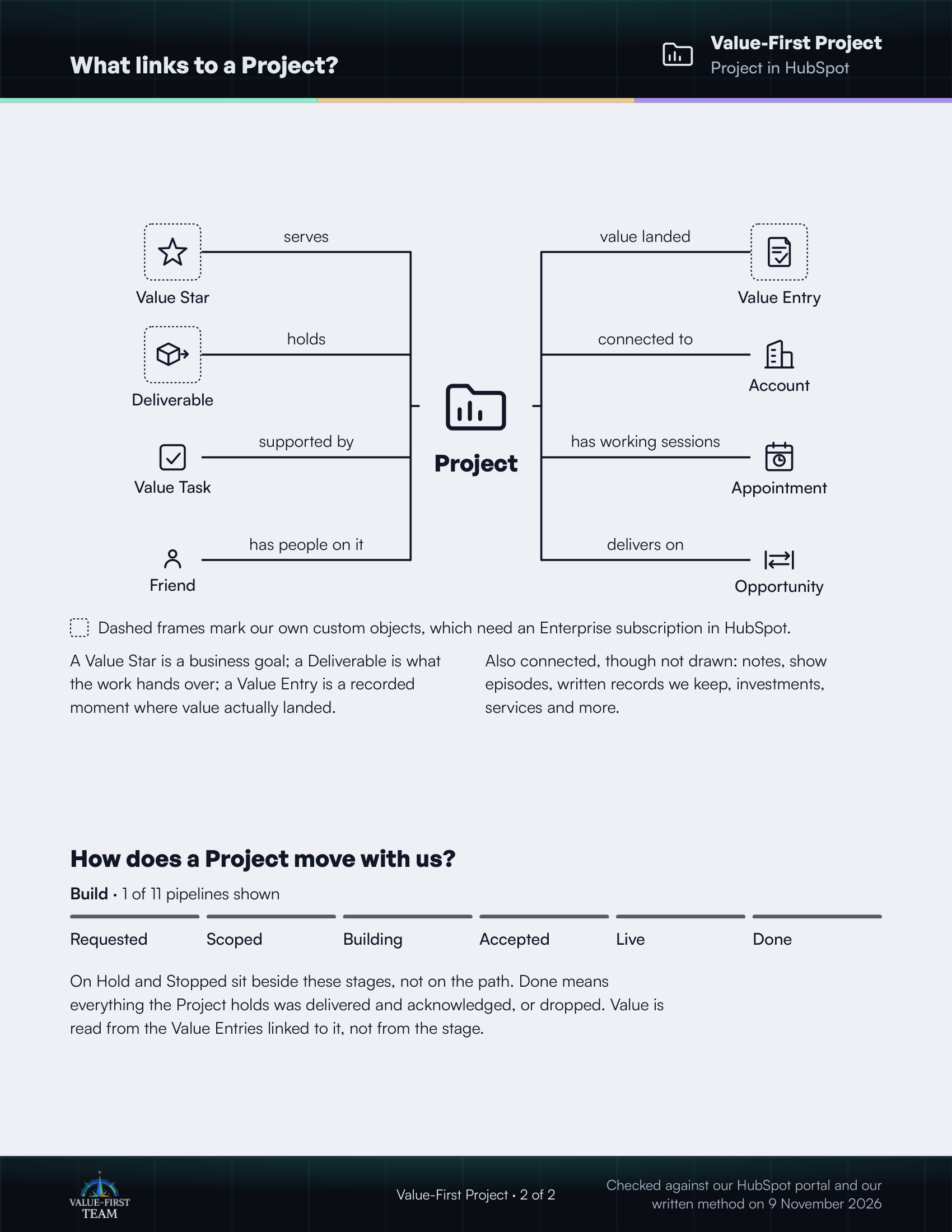
What links to a Project?
- serves Value Star (custom object)
- holds Deliverable (custom object)
- supported by Value Task
- has people on it Friend
- value landed Value Entry (custom object)
- connected to Account
- has working sessions Appointment
- delivers on Opportunity
Dashed frames mark our own custom objects, which need an Enterprise subscription in HubSpot.
On the printed sheet these objects are drawn with dashed frames; this list gives the same links without the frames.
A Value Star is a business goal; a Deliverable is what the work hands over; a Value Entry is a recorded moment where value actually landed.
Also connected, though not drawn: notes, show episodes, written records we keep, investments, services and more.
How does a Project move with us?
Build · 1 of 11 pipelines shown
- Requested
- Scoped
- Building
- Accepted
- Live
- Done
On Hold and Stopped sit beside these stages, not on the path. Done means everything the Project holds was delivered and acknowledged, or dropped. Value is read from the Value Entries linked to it, not from the stage.
Checked against our HubSpot portal and our written method on 9 November 2026