
Value-First Value Star
Our own record type on a custom object in HubSpot
The printed sheet
How the Value-First Team sets up its own HubSpot portal, for HubSpot users.
Each business goal we work toward has its own Value Star record, whether it is on our board or off it.
One project can serve several goals. This season’s board holds 20 of them, and our tools read each record every day.
Why twenty goals?
“What if I just did big 20? … Here’s everything I can think of right now that I care about.”
Chris Carolan, Launching A Value-First Summer — The Solstice Broadcast, 20 June 2026
Try it in your portal
- Write down what done means. Give each goal two multi-line text fields: what done means, and what it does not cover. Settings › Properties › Create property, field type Multi-line text. Custom objects need Enterprise.
- Give goals value stages. Build a pipeline whose stages read how far value has reached people, and keep work stages on projects. Settings › Data Management › Objects › Pipelines tab. Starter or above; Enterprise for custom objects.
- Label what a project serves. Create a pair of association labels between projects and goals, such as “serves” and “served by”. Data Model › Edit Data Model › Create association label. Professional or Enterprise; Enterprise for custom objects.
What do we keep about a Value Star?
On each goal’s record, we keep:
- What done means. What the goal is for, in its owners’ words, and what it deliberately does not cover.
- Its projects, in order. The projects that serve it, in the order the goal takes them.
- Where it stands on the board. On this season’s board, waiting for a decision, or off the board. The record stays in every case.
- How far its value has traveled. Foundation, Capability or Multiplication, read from its stage.
Whose value does it serve?
Value in Context
That means the decision, and whoever has to make it. A goal’s record keeps what we decided it is for and which projects serve it, so the next decision starts from what we know.
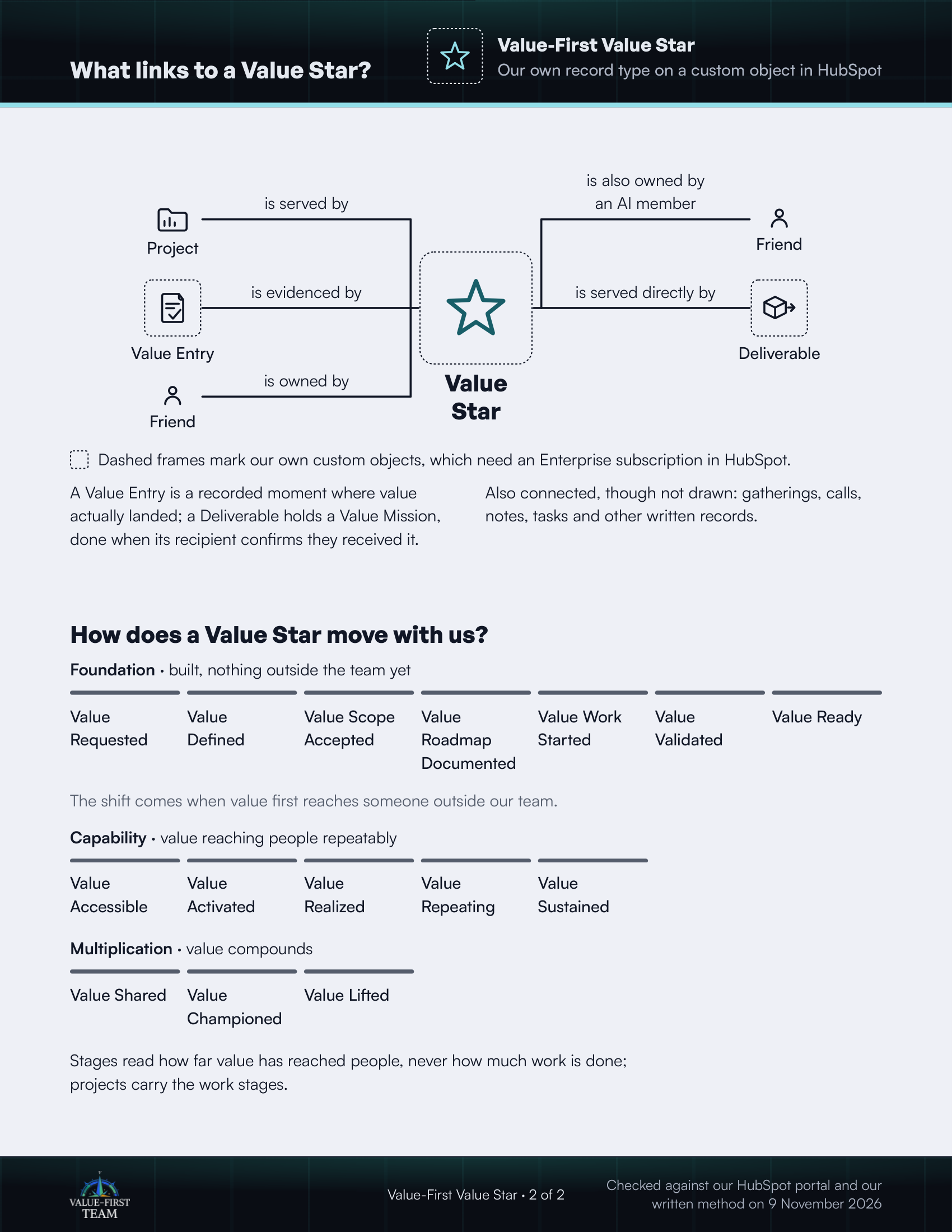
What links to a Value Star?
- is served by Project
- is evidenced by Value Entry (custom object)
- is owned by Friend
- is also owned by an AI member Friend
- is served directly by Deliverable (custom object)
Dashed frames mark our own custom objects, which need an Enterprise subscription in HubSpot.
On the printed sheet these objects are drawn with dashed frames; this list gives the same links without the frames.
A Value Entry is a recorded moment where value actually landed; a Deliverable holds a Value Mission, done when its recipient confirms they received it.
Also connected, though not drawn: gatherings, calls, notes, tasks and other written records.
How does a Value Star move with us?
Foundation · built, nothing outside the team yet
- Value Requested
- Value Defined
- Value Scope Accepted
- Value Roadmap Documented
- Value Work Started
- Value Validated
- Value Ready
The shift comes when value first reaches someone outside our team.
Capability · value reaching people repeatably
- Value Accessible
- Value Activated
- Value Realized
- Value Repeating
- Value Sustained
Multiplication · value compounds
- Value Shared
- Value Championed
- Value Lifted
Stages read how far value has reached people, never how much work is done; projects carry the work stages.
Checked against our HubSpot portal and our written method on 9 November 2026