
Value-First Appointment
Appointment in HubSpot
The printed sheet
How the Value-First Team sets up its own HubSpot portal, for HubSpot users.
One record for each time people come together: why it is happening, who takes part and what came out of it.
That covers coaching calls, working sessions, internal meetings, community meetups, partner sessions and the recording of our shows.
Why Appointments?
“The gold happens on the calls usually. … I use appointment records … because there’s pipelines.”
Chris Carolan, Launching A Value-First Summer: The Solstice Broadcast, 20 June 2026
Try it in your portal
- Turn on Appointments. Give each gathering its own record, with a purpose and stages. Data Management › Data Model › Manage tab › Activate object. All plans; Super Admin.
- One pipeline per kind. Give each kind of gathering a pipeline, its last stage named for what it produces (ours: “Clarity Delivered”). Settings › Data Management › Objects › Appointments › Pipelines. Renaming: every plan; a second pipeline: Starter or above.
- Label each person’s part. Label the link between a contact and an Appointment, such as Host, Invited and Present. Data Model › Edit Data Model › Create association label. Professional or Enterprise; Super Admin.
What do we keep about an Appointment?
Beyond HubSpot’s name, times, owner and stage, we keep:
- Why it is happening. Its purpose in one sentence, and an agenda of talking points, decisions needed and open questions.
- What came out of it. Highlights, action items and the next step that emerged.
- Who it is for. Internal only, us and a delivery partner, or shared with the client.
- Their own words. What someone wrote when they booked or chose to share, kept exactly as typed, never as a rating.
Whose value does it serve?
Value for the Customer · Value for the Company · Value for the Community
Each kind of gathering names whose value it serves: the people and organizations we work with, our own organization, or the world around us. We route each by who is better off when it goes well.
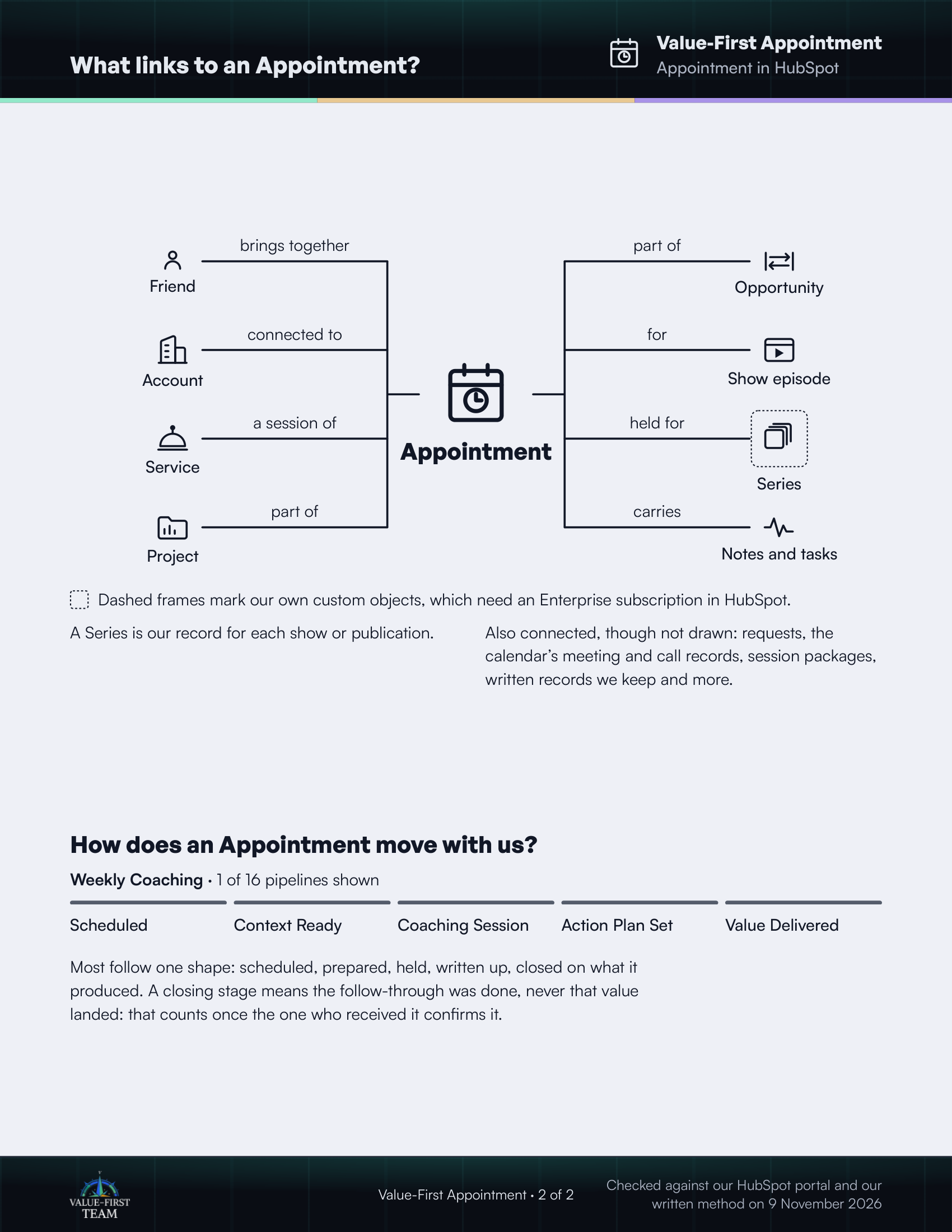
What links to an Appointment?
- brings together Friend
- connected to Account
- a session of Service
- part of Project
- part of Opportunity
- for Show episode
- held for Series (custom object)
- carries Notes and tasks
Dashed frames mark our own custom objects, which need an Enterprise subscription in HubSpot.
On the printed sheet these objects are drawn with dashed frames; this list gives the same links without the frames.
A Series is our record for each show or publication.
Also connected, though not drawn: requests, the calendar’s meeting and call records, session packages, written records we keep and more.
How does an Appointment move with us?
Weekly Coaching · 1 of 16 pipelines shown
- Scheduled
- Context Ready
- Coaching Session
- Action Plan Set
- Value Delivered
Most follow one shape: scheduled, prepared, held, written up, closed on what it produced. A closing stage means the follow-through was done, never that value landed: that counts once the one who received it confirms it.
Checked against our HubSpot portal and our written method on 9 November 2026