
The printed sheet
How the Value-First Team sets up its own HubSpot portal, for HubSpot users.
A Ticket record follows a request or a test step until it is answered, fixed or declined.
That means a support request, a question, a step a client tests before accepting our work, or feedback on something we built. Each kind has its own pipeline.
What is a ticket for?
“Tickets for help desk … for triage moments, not built for managing post-sales … processes.”
Chris Carolan, Unboxing HubSpot Revenue Hub: Contracts, 3 September 2026
Try it in your portal
- Close on a “no” too. Add a closed stage for requests you decline (tickets call stages “statuses”), as ours ends on Resolved or Declined. Settings › Data Management › Objects › Tickets › Pipelines tab › + Add stage. All plans.
- Record why it closed. Make a dropdown of your own reasons, such as Fixed, Works As Designed and Duplicate, to see where the friction is. Settings › Properties › Create property, field type Dropdown select. All plans.
- Label who raised it. Label the person who raised a ticket apart from a person who is only kept informed, as we do. Data Management › Data Model › Edit Data Model › Create association label. Professional or Enterprise.
What do we keep about a Ticket?
Beyond HubSpot’s usual ticket details, we keep:
- Why it closed. One reason from our own list of nine, such as Fixed, Works As Designed or Duplicate.
- What happened at a test step. Three yes-or-no answers about the step itself, never about the person testing it.
- Whose move it is. Ours or the client team’s, shown to the client on their own pages.
- What they called it. A bug, feedback, a question or an enhancement, as the person who raised it chose.
Whose value does it serve?
Value for the Customer
That means the people and organizations we work with. Tickets hold what one of them asked for, reported or tests before accepting our work.
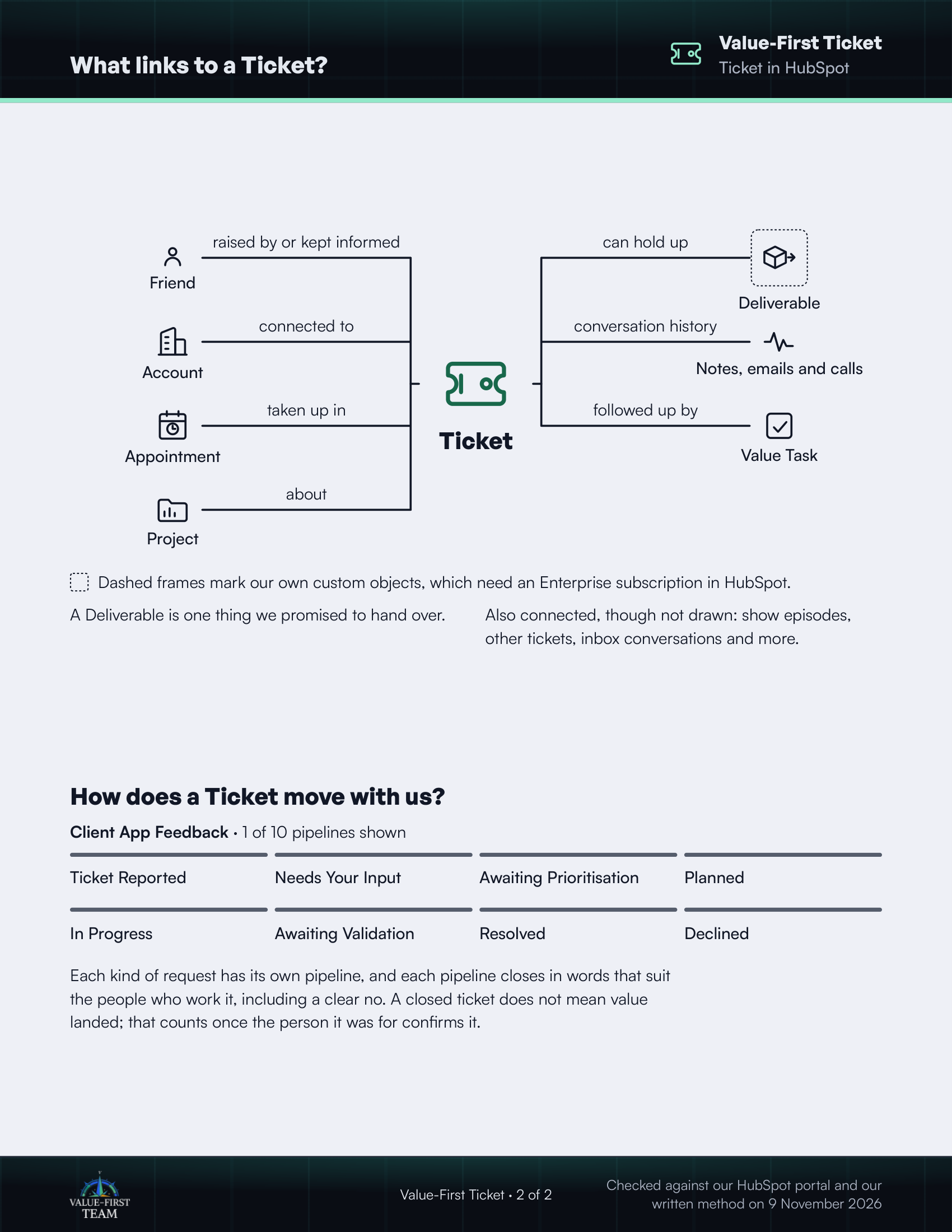
What links to a Ticket?
- raised by or kept informed Friend
- connected to Account
- taken up in Appointment
- about Project
- can hold up Deliverable (custom object)
- conversation history Notes, emails and calls
- followed up by Value Task
Dashed frames mark our own custom objects, which need an Enterprise subscription in HubSpot.
On the printed sheet these objects are drawn with dashed frames; this list gives the same links without the frames.
A Deliverable is one thing we promised to hand over.
Also connected, though not drawn: show episodes, other tickets, inbox conversations and more.
How does a Ticket move with us?
Client App Feedback · 1 of 10 pipelines shown
- Ticket Reported
- Needs Your Input
- Awaiting Prioritisation
- Planned
- In Progress
- Awaiting Validation
- Resolved
- Declined
Each kind of request has its own pipeline, and each pipeline closes in words that suit the people who work it, including a clear no. A closed ticket does not mean value landed; that counts once the person it was for confirms it.
Checked against our HubSpot portal and our written method on 9 November 2026