
Value-First Campaign
Campaign in HubSpot
The printed sheet
How the Value-First Team sets up its own HubSpot portal, for HubSpot users.
A Campaign gathers everything we publish for one effort, such as a show, a launch or an event.
That means social posts, emails, blog posts, pages, forms, videos and podcast episodes. Its fields are HubSpot’s own, used as they come.
Just an email send?
“…[W]hen we think of campaigns, which most people do as simple as an email send…”
Chris Carolan, Another Orange Morning, 18 August 2026
Try it in your portal
- One campaign for each show. Pick it under Add to campaign each time you post, so a show’s posts sit together. Marketing › Campaigns › Create campaign, then the social composer. Marketing Hub Professional or Enterprise.
- Show a status on every campaign. Add the Campaign status column, set each campaign’s status in the table and filter by it. Marketing › Campaigns › Actions › Edit columns. Marketing Hub Professional or Enterprise.
Whose value does it serve?
Value for the Customer · Value for the Community
That means the people and organizations we work with, and everyone who learns from the work without buying it. A Campaign gathers what we publish for both.
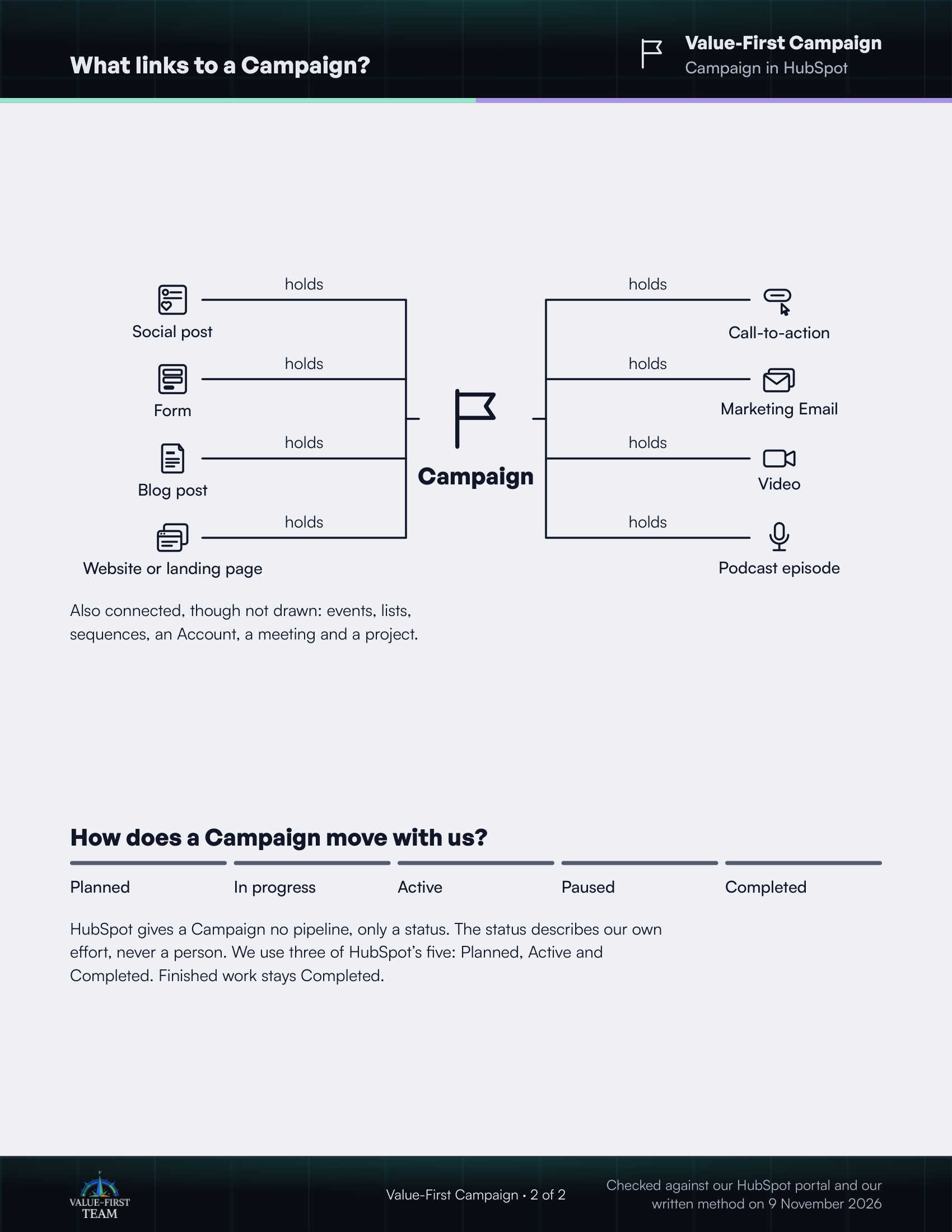
What links to a Campaign?
- holds Social post
- holds Form
- holds Blog post
- holds Website or landing page
- holds Call-to-action
- holds Marketing Email
- holds Video
- holds Podcast episode
Also connected, though not drawn: events, lists, sequences, an Account, a meeting and a project.
How does a Campaign move with us?
- Planned
- In progress
- Active
- Paused
- Completed
HubSpot gives a Campaign no pipeline, only a status. The status describes our own effort, never a person. We use three of HubSpot’s five: Planned, Active and Completed. Finished work stays Completed.
Checked against our HubSpot portal and our written method on 9 November 2026